This post reflects the state of things as of April 2026. The AI tool market moves fast, so some details may have changed by the time you read it.
Coding with AI — But Where Do You Even Start?
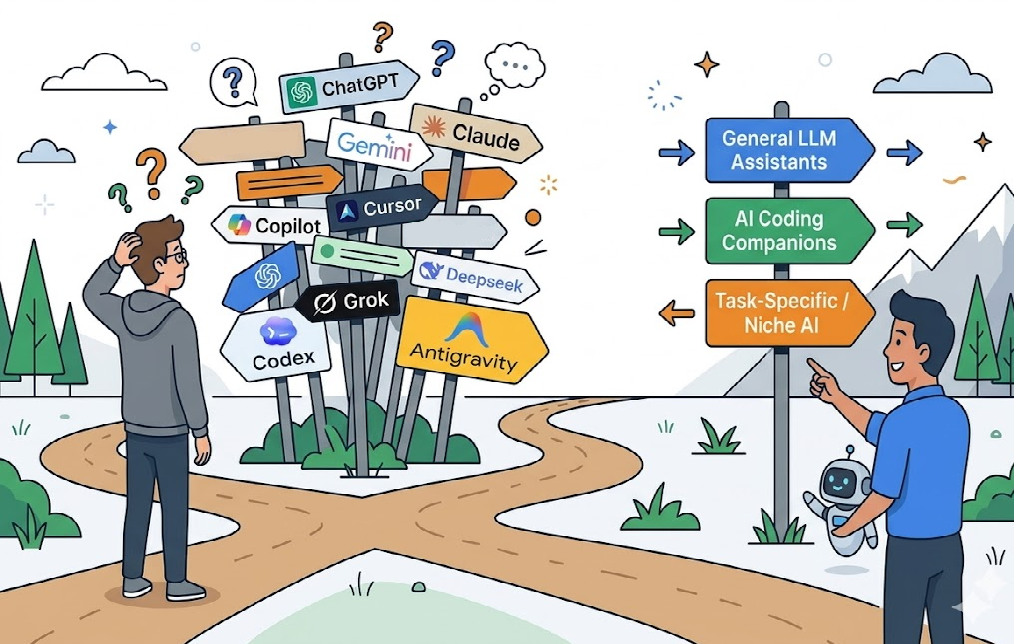
ChatGPT, Gemini, Claude, Copilot, Cursor, Codex, Claude Code…
You know AI can help with coding, but there are too many names flying around. What’s what? Which one should you use? Where do you even begin?
This post is for people in exactly that situation. I’ll lay out the full picture of AI coding tools as simply as I can.
The short answer: if you’re a beginner, don’t overthink it. Just subscribe to one of the Big Three (GPT, Gemini, or Claude). They’re useful for everyday tasks beyond coding, and each company also offers dedicated coding tools — so you can start coding with AI right away.
Of course, there are other options too. I’ll also explain why tools like Copilot and Cursor exist and how they differ from the Big Three.
The Big Three: GPT, Gemini, Claude
As of 2026, three models dominate the AI landscape. Whether you’re a developer or not, chances are you’ve used at least one of them.
GPT (OpenAI)
The starting point of mainstream AI. When ChatGPT launched in 2022, it showed the world that AI could hold a conversation. It has the largest user base of the three.
- Main app: ChatGPT (web, mobile, desktop)
- What it can do: conversation, coding, writing, translation, image generation, data analysis
- Dedicated coding tool: Codex
Gemini (Google)
Google’s AI model. Its biggest strength is deep integration with Google services — Search, Gmail, Docs, and Android.
- Main app: Gemini app (web, mobile), Google Workspace integration
- What it can do: conversation, coding, Google Search integration, Gmail/Docs assistance, image understanding/generation
- Dedicated coding tools: Gemini Code Assist, Antigravity
Claude (Anthropic)
An AI model built by Anthropic. It excels at understanding long documents and large codebases in one go, with strong reasoning capabilities.
- Main app: Claude app (web, mobile, desktop)
- What it can do: conversation, coding, long-document analysis, research, writing, PDF/image understanding
- Dedicated coding tool: Claude Code
What Do You Get with a Subscription?
All three models can be used through their own apps via a subscription. They handle much more than coding — conversations, image work, document summaries, translations, and more. For beginners, a single subscription is great value since it covers everything from coding questions to everyday tasks.
| ChatGPT | Gemini | Claude | |
|---|---|---|---|
| Free tier | O | O | O |
| Paid plans | Plus $20/mo, Pro $200/mo | AI Pro $19.99/mo, AI Ultra $249.99/mo | Pro $20/mo, Max $100–200/mo |
| Coding Q&A | O | O | O |
| Image generation | O | O | X |
| File analysis | O | O | O |
| Dedicated coding tool | Codex | Gemini Code Assist, Antigravity | Claude Code |
From AI Apps to Dedicated Coding Tools: Why You Need Them
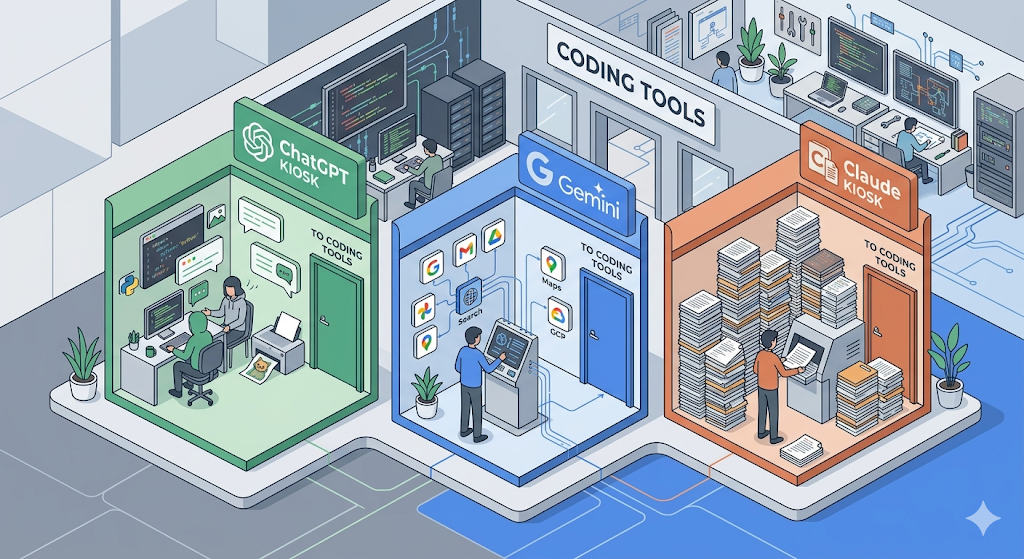
The Big Three apps (ChatGPT, Gemini, Claude) are perfectly fine for questions like “Why is this code throwing an error?” But once you start real development, you hit their limits.
- ‘The AI doesn’t know your project.’ You have to copy and paste your code every time. Once you have 10 or 20 files, that’s just not realistic.
- ‘Copy-paste hell.’ You paste AI-generated code into your editor, hit an error, go back to the AI, get new code, paste again. The loop never ends.
- ‘It can’t edit multiple files at once.’ It only sees one file at a time, so fixes in one place break things elsewhere.
Dedicated coding tools solve exactly these problems. The AI works directly inside your editor — reading your project files, editing multiple files simultaneously, and even running your code.
Understanding Coding Tools Starts with VS Code
To understand dedicated coding tools, you first need to know about the ‘editor’ — the place where developers write code.
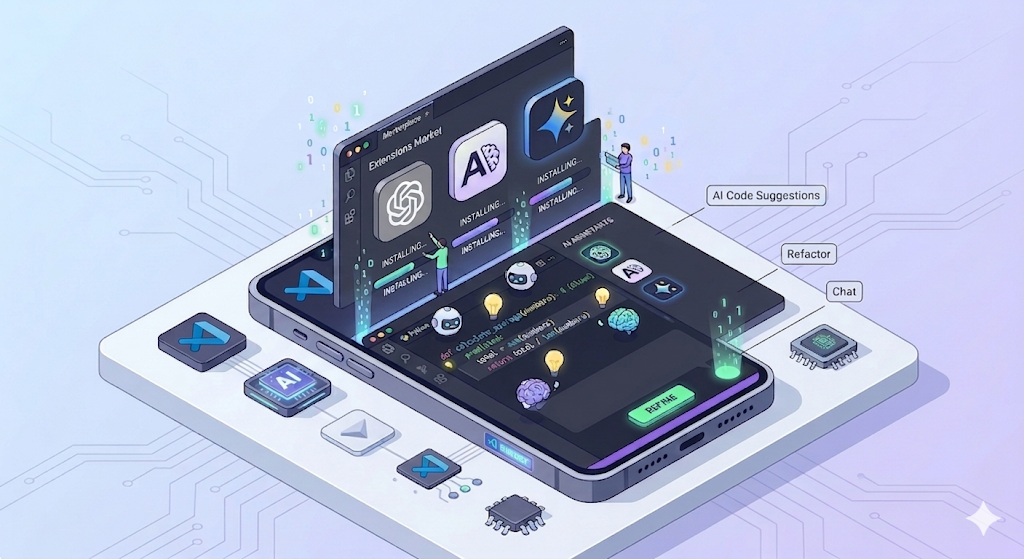
‘VS Code (Visual Studio Code)’ is a free code editor made by Microsoft and the most widely used development tool in the world. What makes VS Code so important is its Extension system. Just like installing apps on a smartphone, you can add all sorts of functionality to VS Code through plugins.
And most AI coding tools are delivered as VS Code extensions.
[VS Code] ← Base editor (smartphone)
    │
    ├── + Codex (install extension) ← OpenAI coding agent
    ├── + Claude Code (install extension) ← Anthropic coding agent
    ├── + Gemini Code Assist (install extension) ← Google coding assistant
    └── + GitHub Copilot (install extension) ← Multi-model coding assistant
You don’t have to use VS Code exclusively. There are other editors like JetBrains (IntelliJ, etc.), Cursor, and Antigravity. Cursor and Antigravity are built on top of VS Code and inherit its ecosystem, though extension compatibility varies by tool. If you’re a beginner, VS Code is the safest starting point — and it’s what this article uses as its reference.
Dedicated Coding Tools from the Big Three
When you subscribe to one of the Big Three, you get access not only to a general-purpose AI app but also to specialized coding tools. Let’s look at each one.
Codex (OpenAI → GPT subscription)
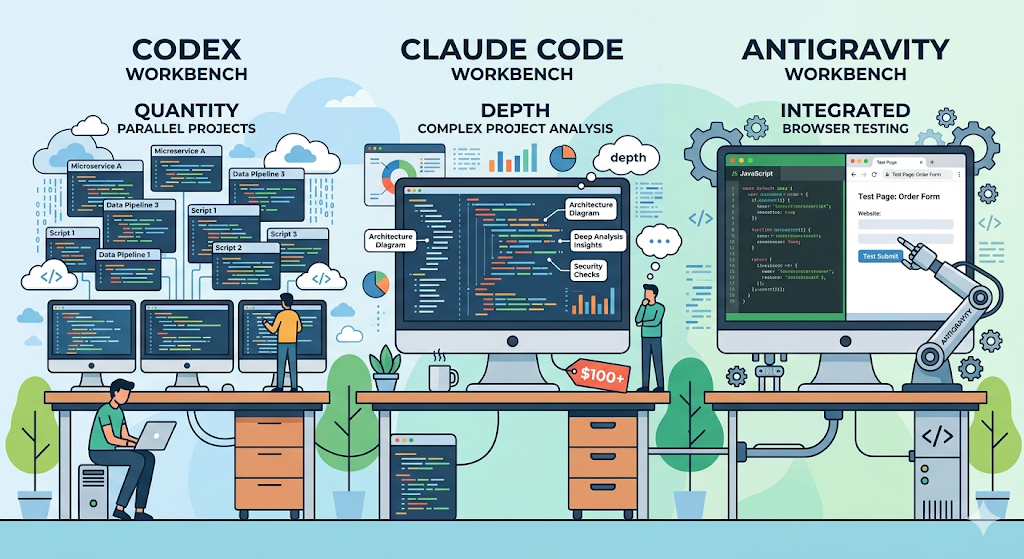
A GPT-based coding agent platform. It’s a hybrid agent that spans the CLI, VS Code extension, web, and desktop app, letting you hand off local work to the cloud. Its most distinctive feature is running code in isolated cloud sandboxes. The desktop app lets you run multiple agents in parallel.
In my personal experience, Codex feels like it has the most generous usage allowance for coding among the Big Three. It’s great when you want to use AI casually and frequently.
- Available as a VS Code extension
- Strengths: isolated cloud execution, parallel agents, generous usage
- Included with ChatGPT Plus/Pro/Business/Enterprise (also included with Free/Go for a limited time)
Claude Code (Anthropic → Claude subscription)
A Claude-based multi-surface agent. It has expanded across the CLI, VS Code/JetBrains extensions, desktop app, browser, and remote control. Its strength is the long context window that lets it understand an entire project at once.
I personally consider it the most powerful coding tool available right now. However, it does a lot of heavy lifting behind the scenes, which burns through usage quickly. You can use it on the Pro plan ($20/mo), but you’ll hit the limit fast — so if you plan to use it seriously, I recommend the Max plan ($100–200/mo).
- Available as a VS Code extension
- Strengths: the strongest code comprehension, long context, multi-surface
- Available starting with Claude Pro ($20/mo); Max ($100–200/mo) recommended for serious use
Gemini Code Assist + Antigravity (Google)
Google’s Gemini-based coding tools come in two flavors. ‘Gemini Code Assist’ is an extension you install in VS Code, JetBrains, or Android Studio. ‘Antigravity’ is a VS Code-based agent development platform built by Google.
Gemini Code Assist has a generous free tier. With a 1M token context window and 6,000 code requests per day, you can start without any commitment.
Antigravity is in public preview and free to start. Google AI Pro/Ultra subscriptions increase the usage limits. Antigravity’s two biggest strengths are:
First, multi-model support. Within Antigravity, you can use not only Gemini but also Claude Sonnet 4.6, Claude Opus 4.6, GPT-OSS-120b, and other models.
Second, browser integration. The agent can open a Chrome browser, read web pages, click, scroll, and type — recording the entire process as Artifacts. For frontend development, it’s like having the AI personally verify “what does my page actually look like?”
Gemini itself is also incredibly versatile. With integration into Google Search, Gmail, and Docs, it’s useful for everyday tasks well beyond development.
- Gemini Code Assist: VS Code extension, free to use
- Antigravity: VS Code-based agent platform, free during public preview
- Strengths: versatility, browser integration (frontend), multi-model support, generous free tier
Other Options: Multi-Model Tools
Beyond subscribing to the Big Three, there are other options — multi-model tools that let you pick and choose from several AI models within a single interface.
GitHub Copilot
The #1 AI coding tool by usage (29%, JetBrains 2026.1 survey). Originally GPT-only, it has evolved into a GitHub-native multi-model platform where you can choose between GPT, Claude, and Gemini models. It supports nearly every editor — VS Code, Visual Studio, Xcode, JetBrains, Neovim, Eclipse, Zed, and more.
It works across the entire GitHub workflow: agent mode inside the IDE, cloud agents on GitHub, CLI, and code review. If you’re completely new to AI coding tools, this is the safest starting point.
- Pricing: Free / Pro ($10/mo) / Pro+ ($39/mo) / Business / Enterprise
- Strengths: the widest editor support, native GitHub integration, multi-model support
- Best for: developers who are new to AI coding assistants
Cursor
An IDE built by forking VS Code with AI at its core. Growing fast at 18% usage share. It supports multiple models and offers an intuitive GUI experience with the Agents Window, where you can run multiple agents in parallel.
- Pricing: Free / Pro ($20/mo) / Pro+ ($60/mo) / Ultra ($200/mo)
- Strengths: intuitive agent UI, parallel agent orchestration
- Best for: developers who want a GUI-based agent experience
Note: The Practical Difference Between Native and Multi-Model Tools
Multi-model tools offer the convenience of using several models within one interface. But even with the same model name, the actual experience can differ by tool due to differences in IDE integration, usage limits, and extra features. For example, Claude Code’s strength is its multi-surface approach across terminal, IDE, desktop, and browser; Copilot shines with GitHub code review and cloud agents; and Antigravity stands out with browser Artifacts.
Which approach works best depends on your personal workflow.
The JetBrains Ecosystem
While VS Code-based tools get most of the attention, JetBrains is moving fast too. JetBrains AI Assistant and Junie (a coding agent) have a combined usage share of 11% (JetBrains 2026.1 survey). For developers using IntelliJ, PyCharm, or WebStorm, it’s the natural choice — you get the agent experience without switching editors. JetBrains is also pushing ACP (Agent Communication Protocol) to connect external agents.
Other Notable Tools
| Tool | One-line description |
|---|---|
| Windsurf (Cognition) | VS Code fork IDE. Cascade agent |
| Tabnine | Enterprise security focused. Air-gapped deployment, no code retention |
| OpenCode | Open-source terminal coding agent. Free |
| Gemini CLI | Google’s open-source terminal agent |
How I Actually Use These Tools: A Personal Setup
For reference, here’s my actual setup. This is entirely a personal combination.
I subscribe to all three — ChatGPT, Gemini, and Claude. My editor of choice is Antigravity. Since it’s VS Code-based, I’ve also installed the Codex extension and the Claude Code extension, and I switch between them depending on the task.
| Task | Primary tool | Reason |
|---|---|---|
| Project management | Claude Code | Deep understanding of the entire project |
| Quick code generation, high volume | Codex | Generous usage, cloud execution |
| Frontend development | Antigravity + Gemini | Direct browser control |
| Everyday tasks (docs, search, translation) | Gemini, ChatGPT | General versatility |
Rather than going all-in on a single tool, I’ve found that picking the right tool for each task’s strengths works best for me.
Which One Should You Pick?
| I’m someone who… | Recommendation | Reason |
|---|---|---|
| Is new to AI and wants to use it beyond coding | ChatGPT or Gemini subscription | Great versatility, free/low-cost to start |
| Is new to AI coding assistants | Copilot | Just install a plugin in your existing editor |
| Needs the strongest code comprehension | Claude Max + Claude Code | Excels at large projects (higher cost) |
| Does a lot of frontend development | Antigravity | Browser integration, multi-model |
| Prefers a GUI-based agent experience | Cursor | Intuitive UI, parallel agents |
| Wants to keep costs down | Gemini Code Assist | Generous free tier |
| Doesn’t want to leave JetBrains IDE | JetBrains AI + Junie | No editor switch required |
| Prioritizes enterprise security | Tabnine | Air-gapped deployment |
Wrapping Up: There’s No Perfect Answer — Just a Starting Point
There’s no single right answer when it comes to AI coding tools. Six months from now, there will be new tools on the scene.
But there is a starting point. If you haven’t tried anything yet, subscribe to one of GPT, Gemini, or Claude. Use it for coding questions, everyday work, and learning. When you’re ready to go deeper into coding, add a dedicated coding tool on top.
What matters isn’t locking yourself into a specific tool — it’s getting comfortable with the way of working alongside AI.
But how do these tools actually understand and generate code? You know the names GPT, Gemini, and Claude, but how do they really work under the hood? In the next series, ‘AI Decoded,’ I’ll break down the fundamentals of AI step by step.