Peace on localhost, and broken illusions
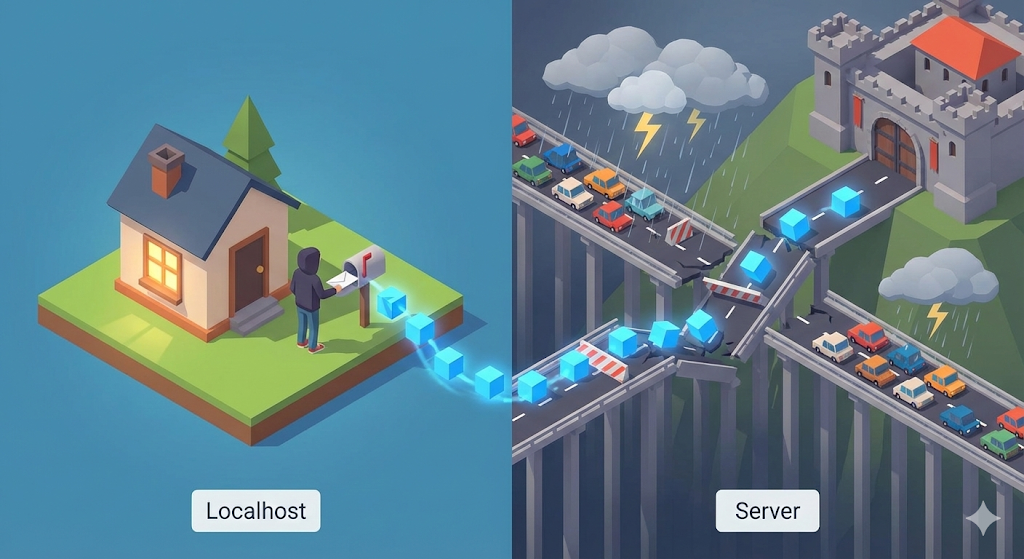
When I was in school, my whole world was localhost. Even if I installed something like XAMPP and created a bulletin board using PHP, it was a world that only ran on my computer.
When I first joined the company, I was lucky enough to be mainly responsible for front-end maintenance. It was an admin page based on Quasar (Vue.js), and the difficulty of the task was not high. All I had to do was correct the typo or call the API that my seniors had already created well with axios.get() and display it on the screen.
At that time, axios was like a magic wand to me. Even though I don’t know the complicated principles, I just entered the URL and the data was retrieved quickly. I also had a cheeky thought, “There’s nothing special about communicating between the front-end and the back-end, right?”
But the peace did not last long. This is because I was a ‘living-style full-stack’ developer at a small and medium-sized company that lacked manpower.
Soon, the moment came when I had to create my own API for a new function, rather than modifying the screen. I started a server using Spring Boot, which I quickly learned from YouTube, and sent a request from the front end. However, all that appeared on my screen were red CORS errors and Timeout errors, not data.
“It worked fine when I passed it as a local variable, but why can’t I just use the network?”
Moving variable A to variable B on my computer (Localhost) was a 100% guaranteed safe method. But the world outside the LAN cable was different. It was like an intersection with a broken traffic light, and my data was a truck driving on that dangerous road. All this time, I was just loading the truck and sending it, but I had no idea what route the truck took or how it was divided.
Delivery system in digital logistics center
Let’s expand our ‘digital logistics center’ world view. Now we have to deliver the items (data) made in our factory (computer) to customers (servers) far away.
1. Packet: Standard shipping box
No matter how large the data we want to send (e.g. a 1GB video), it cannot be sent all at once. This is because the roads are narrow and the trucks are small. So we cut the data into very small pieces and put them in standardized boxes. This is a ‘Packet’.
2. IP (Internet Protocol): Address and navigation
What can I do if I only have a box? You need to know where to go.
- IP address: The delivery address (e.g. 192.168.0.1)
- Router: A traffic officer standing at every fork in the road. It gives directions like, “To get to this address, take that road over there.”
3. TCP/UDP: Differences in delivery methods
Now we need to decide which truck to send the boxes to.
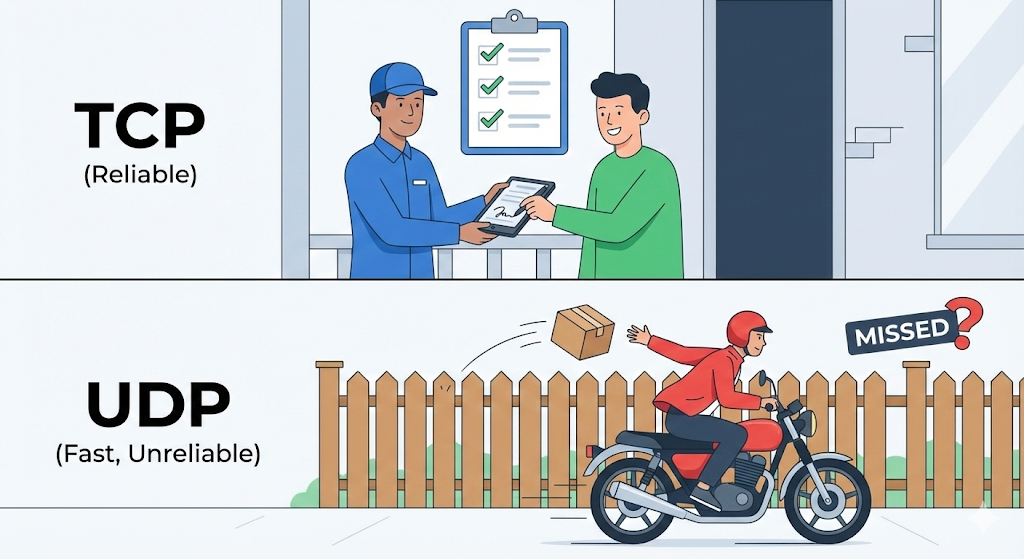
- TCP (Transmission Control Protocol): Dependable post office parcel delivery.
- It carefully checks, “Did you get it okay?” (3-way Handshake).
- If the boxes get mixed up, it puts them back in order, and if even one goes missing, it delivers it again.
- Used for the web (HTTP), email, and file transfers. (Slow but sure)
- UDP (User Datagram Protocol): Laid-back drone delivery.
- It just drops the box and takes off. It does not check whether you received it.
- It does not care if a box or two goes missing. In exchange, it is incredibly fast.
- Used for streaming and online games. (Fast but unreliable)
[Code Verification] The real face of HTTP is just text
The HTTP we commonly use is actually just the ‘content of the letter’ carried on a delivery truck called TCP. Let’s talk to the Naver server in the most primitive way (Socket) without a browser or library. You will see how simple HTTP is, just a piece of text.
import socket

# 1. Create TCP socket (pick up the phone)
sock = socket.socket(socket.AF_INET, socket.SOCK_STREAM)

# 2. Connect to Naver server (223.130.195.200) on port 80 (dial the number)
# Naver IP may change (check with nslookup www.naver.com)
target_host = "www.naver.com"
target_port = 80
sock.connect((target_host, target_port))

# 3. Write HTTP request message (compose what to say)
# Rawest form of an HTTP request
request = "GET / HTTP/1.1\r\nHost: www.naver.com\r\n\r\n"

# 4. Send (speak)
sock.send(request.encode())

# 5. Receive response (listen)
response = sock.recv(4096)
print(response.decode())

# 6. Close connection (hang up)
sock.close()
Execution results (partial):
HTTP/1.1 200 OK
Server: NWS
Date: Mon, 01 Jan 2024 00:00:00 GMT
Content-Type: text/html; charset=UTF-8
...
<html>...</html>
Analysis: This is all that happens internally when we call axios.get().
- Establish a TCP connection (Connect) to the other side’s IP and port.
- Send
GET / HTTP/1.1, which is just text. - Receive the text the server sends back.
HTTP is not a special technology, it is just a promise made to “exchange texts using this protocol (protocol) when we communicate.”
Trade-off in practice: reliability or speed
In practice, especially back-end development, there comes a time when you have to decide between TCP and UDP. (Of course, most use TCP-based HTTP)
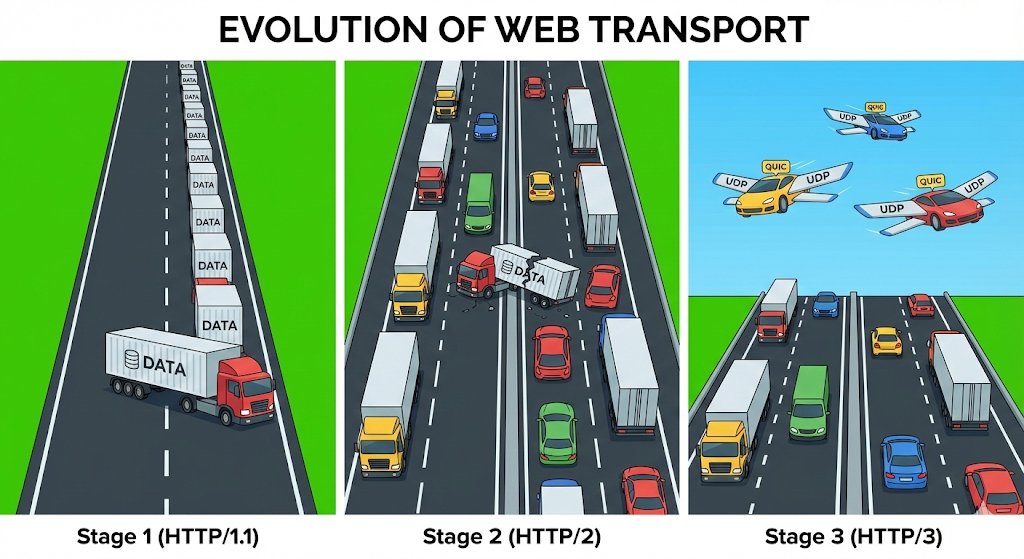
HTTP/3, which is frequently asked in recent interview questions, is the product of this trade-off. The Internet we use (HTTP/1.1, HTTP/2) has been running on TCP. Because data should never be destroyed.
But times have changed. People want to watch 4K video without interruption. TCP’s meticulous verification process (Handshake) and features such as “Stand in line (Head of Line Blocking)” have now become frustrating.
So Google thought. “Hey, let’s just use UDP. We can just take care of the uneasiness at the application level. It’s important to send it quickly!”
This is the QUIC protocol, and is the basis of HTTP/3. It is a trend of modern technology that abandoned unconditional stability (TCP) and chose overwhelming speed (UDP) even if it meant taking some risks.
Closing: Imagine an invisible road
Now we know how the data is broken up (packets) and on what truck (TCP/UDP) it travels.
When an API request fails on the frontend, don’t just think, “Is the server dead?” like before. “Oh, did the 3-way handshake fail? Was the packet dropped by the router in the middle? Or did DNS not find the address?” If you can imagine a network layer like this, you are no longer ‘just a coder’
Now, the goods from our factory have arrived safely to the customer. But how does a customer receive this item, unpack it, and show it on the screen? How will the HTML code we send be displayed in the browser?
Next time, we will talk about the final destination of web development, the principles of browser rendering.