“The fix is done!” …but what about deployment?
Three months after joining the company, just as my probation period was ending, I received my first real production task. It was only a very simple feature fix, but I still felt half nervous and half excited as I finished changing the code and testing it perfectly on my own machine, on localhost.
“Team lead, all the local tests passed!”
The team lead nodded and told me to deploy it. “Nice work. Then commit it to GitLab, a source code repository like GitHub, and deploy it to the production server.”
Deploy? I hurriedly dug through the handover document I had received during onboarding. It was full of unfamiliar terms.
- Push the code to
GitLab. (Okay, I know this one.) - Wait for
GitLab CIto build it automatically. (Automatic? Nice.) - Connect to the production server and enter the
docker service update ...command. (Docker? What on earth is that?)
I uploaded the code as instructed. Now only the last step remained: connecting to the production server. I actually started getting up from my seat. Like in TV dramas, I thought I had to walk into a freezing server room, an IDC, and type directly on a keyboard attached to the server.
My senior saw me and laughed. “Where are you going? Just sit down and connect with SSH.”
My first encounter with a black screen
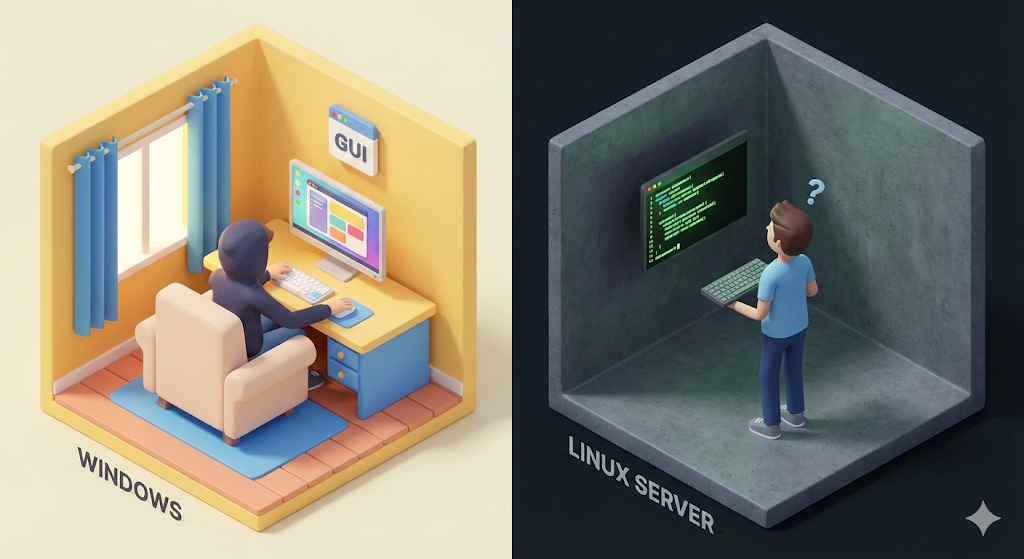
I opened a program called SSH(Secure Shell), typed in the IP address and password my senior gave me, and pressed Enter. If it had been Windows, a colorful desktop would have greeted me. But all that appeared on my monitor was a blinking cursor on a pitch-black background.
ubuntu@ip-172-31-0-1:~$ _
There were no icons to click with a mouse, and no right-click menu to create a new folder. In a panic, I pressed random keys, then typed ls, and a list of files spilled out in plain text.
‘Ah, so this is that CLI(Command Line Interface) I had only heard about.’
But the real fear arrived when I tried to run a file. I executed the update script written in the manual, and what would have been a simple double-click in Windows came back here as a red error message.
Permission denied (permission was denied)
It was my own server, yet I could not execute it. Why was Linux so unfriendly?
The warehouse keeper of a digital logistics center
Let’s go back to our ‘digital logistics center’ metaphor. If my Windows laptop is a comfortable private office, then a Linux server is a huge warehouse built only for handling logistics. Inside that warehouse are tens of thousands of boxes, which are files.
If the warehouse keeper had to walk around and inspect every box one by one, GUI, and unlock every door with a key, click by click, the work would be far too slow. That is why Linux uses a walkie-talkie called commands.
“Print the full list of boxes in zone 1!” (ls) “Move box 3 to zone 5!” (mv) “Execute this box!” (./start.sh)
It is not inconvenient because there is no mouse. The graphics were intentionally removed because, once you get used to it, you can control thousands of files a hundred times faster than you ever could with a mouse.

[Code Verification] The absolute law of permissions
The thing that torments Linux beginners most is the issue of permissions. On Windows, one click on ‘Run as administrator’ solves most problems. Linux, on the other hand, strictly checks for every single file who can do what.
To survive, you need to be able to read the alien-looking output from ls -l in the terminal.
$ ls -l myscript.sh
-rwxr-xr--  1  owner  group  1024  Jan 1 12:00  myscript.sh
Analysis: the key part is -rwxr-xr-- at the very front. Excluding the first -, which means file, you have to read it in groups of three.
- Owner (User)
rwx: Can Read, Write, and Execute. All of it. (The boss) - Group
r-x: Can only read and execute. No modifying (Write). (Teammates) - Others (Other)
r--: Can only read. (Outsiders)
If a script you wrote does not run, what is the cause? Nine times out of ten, it is missing execute permission, x. At that point, beginners often get frustrated and cast the forbidden spell chmod 777.
# What you must never do
$ chmod 777 myscript.sh
777 means, “Let me, you, and every passing dog modify and execute this file.” It is the same as throwing your security gate wide open. In real work, that is absolutely forbidden. You need to build the habit of granting only the minimum permissions required, such as chmod +x.
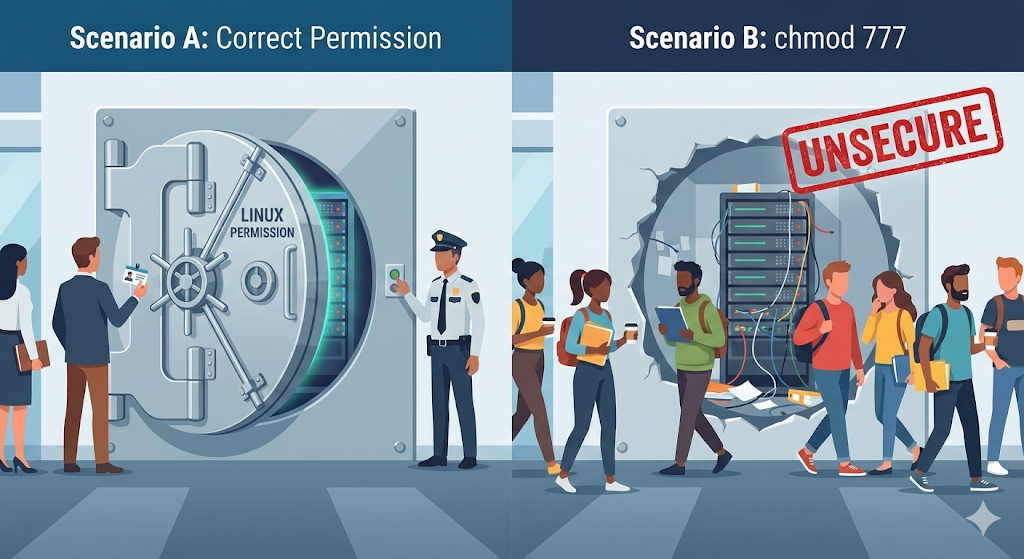
chmod 777 is convenient, but it also makes life convenient for attackers.Practical advice: getting over terminal anxiety
When I first joined the company, my senior told me to use PuTTY as my server connection tool. But after searching online, I found a better tool called MobaXterm. As soon as you connect with SSH, it shows a file list on the left side via SFTP, almost like the file explorer on my own computer.
Because of that, even without knowing terminal commands, I would double-click files to edit and save them. But if you rely only on that kind of shortcut, you will never truly become comfortable with Linux. In an urgent production incident, you do not have time to wait for a GUI tool to open.
- Make friends with
vi(ornano): Are you really going to open server config files (application.ymland so on) with a mouse every time you need to fix one? You get to go home earlier when you can edit them right on the server with thevieditor. The shortcuts may be confusing at first, but as long as you know just two of them,i(insert) and:wq(save and quit), you can at least make edits. - Do not fear the logs (
tail -f): When the server goes down, do not just sit there staring blankly. Type thetail -f catalina.out(Tomcat log) command. Watching the logs scroll up on your screen in real time is where problem-solving begins. - Automation scripts (
Shell Script): Gather the long commands you type every time (build, deploy, restart) into a singledeploy.shfile. The dream of “deployment done with a single press of Enter” starts with shell scripts.
Closing: the one who rules the environment
Leaving the greenhouse called Windows and adapting to the wilderness called Linux is painful. But once you get past that pain, you gain a level of control that is impossible to achieve with a mouse.
Linux is no longer unknown territory. But one fundamental problem still remains. What if Java 17 is installed on my laptop, my development environment, while Java 8 is installed on the Linux server, the deployment environment? Or what if a library exists on Linux but not on my Windows machine?
The excuse, “But it works on my machine,” comes from differences in operating systems and library versions. Is there any way to eliminate that environment gap entirely? Could I freeze my laptop environment as it is and bring it straight to the server?
There is a technology that turned that seemingly absurd idea into reality. Next time, let’s talk about Docker, the technology that went beyond virtualization and sparked the container revolution.