“The Delete Button Doesn’t Work”
When a report like this comes in on a production system, your thoughts usually run in the same order. What went out in the last deploy? Who touched that feature last? Surely not me? You start digging through the commit history before you’ve even finished reading the report. It’s an old reflex for people who write code, and usually that reflex is right. This post is the record of an incident where it was wrong. It’s also the incident that most dramatically revealed a sense this series keeps confirming: ‘a read query is an investigative tool.’
A report came in on the system I help run (agricultural production history tracking, Spring Boot + JPA/Hibernate + PostgreSQL): ‘Deleting a certain space fails.’ A space is data that represents a place where production happens, and two of its traits matter in this incident. One: spaces form a parent-child hierarchy. Smaller spaces hang beneath larger ones, the way folders sit inside folders, in a shape we call a tree. Two: spaces carry tags for traceability, and tags have statuses such as active.
The word ‘certain’ bugged me. It meant that not every space was failing, only some. Still, an investigation follows procedure. I called in suspect number one first: the code.
Suspect No. 1: The Delete Code’s Alibi
The design of the delete logic (JPA) was clear: ‘First clean up the active tags attached to the space, then delete the space.’ In a regulated industry where traceability is everything, you can’t delete a space and leave its tags dangling in midair, so the order itself is sound.
I read the code from start to finish. It was implemented exactly as designed, and nothing looked suspicious. Then came the decisive alibi: the same code was running just fine on other spaces that very day.
This is where the first principle of the investigation takes shape. If the same code works in one place and fails in another, the variable isn’t the code. It’s the data. The suspect list narrowed to ‘something hanging off that space.’
But the very next step stalled the investigation. The problem was the road you had to take to go look at that something.
The Terrain That Blocked the Investigation: A Tree of Unknown Depth
Examining just the one space wasn’t enough. I had to sweep the whole hierarchy: that space’s children, the children’s children, all the way down to the tags on the bottom nodes. The catch: nobody knew how many levels deep this tree went.
Let’s size up the job with the query tools we use every day. ‘The problem space’s children’ takes one line: WHERE parent_id = ?. Grandchildren you can manage, one way or another, by joining the same table twice. But ‘everything’ below that? If you don’t know whether the tree is 3 levels deep or 7, you can’t decide in advance how many joins to write. SELECT and JOIN are tools with a ‘fixed’ depth. JPA wasn’t an option either. A recursive walk down the child collections was bound to be the return of N+1, firing one query per node. Above all, you can’t write new investigation code and deploy it to production. The investigation had to be finished right here, right now, with read-only SQL.
SQL ships with a piece of equipment for exactly this situation: WITH RECURSIVE, a recursive query that walks down a tree as deep as it goes, all on its own.
Equipment Briefing: WITH RECURSIVE
Split the name in two and you’re halfway there.
WITH is syntax that lets you give a query result a name and use it like a temporary table. Its official name is CTE (Common Table Expression). Add RECURSIVE, and that temporary table can reference itself. Using ‘the results you just found’ as the raw material for finding the next results: that’s recursion.
Code explains it faster than words. What follows isn’t the production query but a ‘concept example’ for getting the structure down. We’ll build a minimal space tree and find every descendant under one space.
-- Concept example: a space table linked parent to child
create table space (
    id        bigint primary key,
    parent_id bigint,        -- parent space (NULL at the top level)
    name      varchar(50)
);
-- Concept example: find every descendant under space 1
with recursive space_tree as (
    -- ① Anchor: the starting point of the search. Runs exactly once
    select id, parent_id, name, 0 as depth
    from space
    where id = 1

    union all

    -- ② Recursive part: finds the children of 'the rows just found'
    select s.id, s.parent_id, s.name, t.depth + 1
    from space s
    join space_tree t on s.parent_id = t.id
)
select * from space_tree order by depth;
In org-chart terms, the anchor is ‘summon one division head,’ and the recursive part is ‘summon every direct report of the people just summoned.’ Round 1 catches the children, round 2 the grandchildren, and when there are no more direct reports, the summoning stops on its own. The stopping rule, ‘when no new rows turn up, you’re done,’ is built into the syntax. But that rule only holds when the data really is a tree. If even one chain of parents loops back to itself (a cycle), union all keeps finding the same rows again and the query never ends. So when you search old data, it’s safer to cap the recursive part with something like where t.depth < 20, or to break cycles with the cycle clause available since PostgreSQL 14. Whether the tree is 3 levels deep or 30, it’s this one query, and depth both records which level is being searched and doubles as that safety cap.
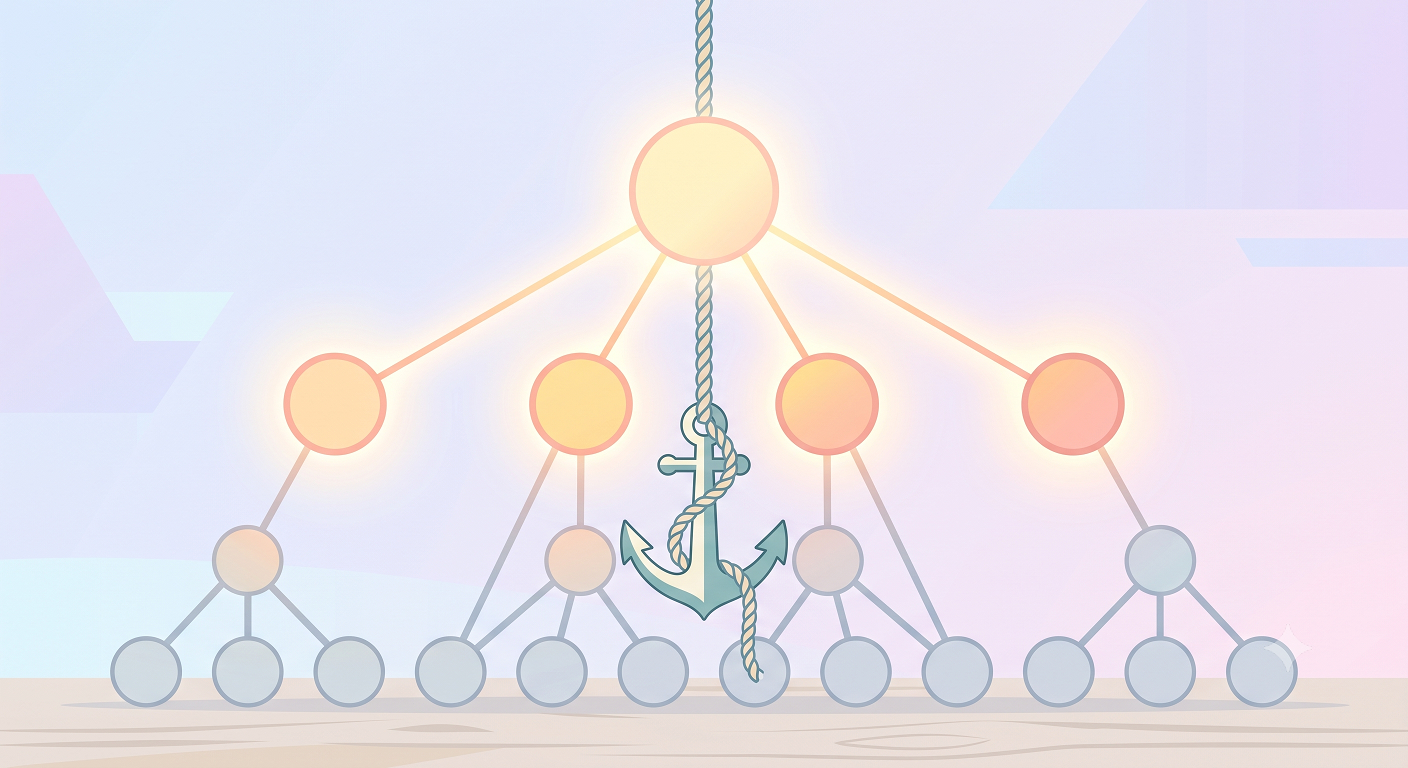
Equipment check complete. Now we send it into the real tree.
A Full Sweep, and an Arrest
I can’t share the production query verbatim, but its structure is an extension of the concept example. I put the problem space in the anchor, unfolded every descendant space through recursion, then hung the tag table off each unfolded node with a LEFT JOIN (a join that keeps the left-side row in the result even when it has no match). Which node had tags in which status: I had built a full survey sheet of the entire hierarchy.
Here’s the same structure reproduced on a sample tree. This is the investigation query from a reproduction demo where I planted one ‘node that breaks the assumption’ in a nine-node space tree.
-- Reproduction demo: unfold the whole tree and count tag statuses per node
with recursive space_tree as (
  select id, name, parent_id, 1 as depth, name::text as path
  from space
  where parent_id is null

  union all

  select s.id, s.name, s.parent_id, st.depth + 1,
         st.path || ' > ' || s.name
  from space s
  join space_tree st on s.parent_id = st.id
)
select st.path,
       count(t.id)                                  as tag_cnt,
       count(t.id) filter (where t.status = 'ACTIVE') as active,
       count(t.id) filter (where t.status is null)     as no_status  -- ← culprit detector
from space_tree st
left join tag t on t.space_id = st.id
group by st.id, st.path, st.depth
order by st.path;
Why it has to be a LEFT JOIN is the crux of the investigation: ‘spaces with no tags’ also have to stay on the survey sheet. A row that would have quietly disappeared under an INNER JOIN survives under a LEFT JOIN in the form of ‘nothing.’ If a row like that turns out to be the culprit, an INNER JOIN starts by crossing the suspect off the search list. Counting count(t.id) instead of count(*) in the aggregation is the same family of trap: it’s exactly the LEFT JOIN NULL problem covered in the remaining-stock post.
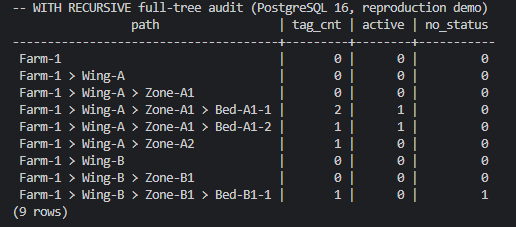
On the real survey sheet, the row that didn’t fit showed itself the same way. Somewhere down the hierarchy, one node’s data didn’t satisfy the delete logic’s premise: ‘a space always has active tags to clean up.’ It was a legacy row, six years old.
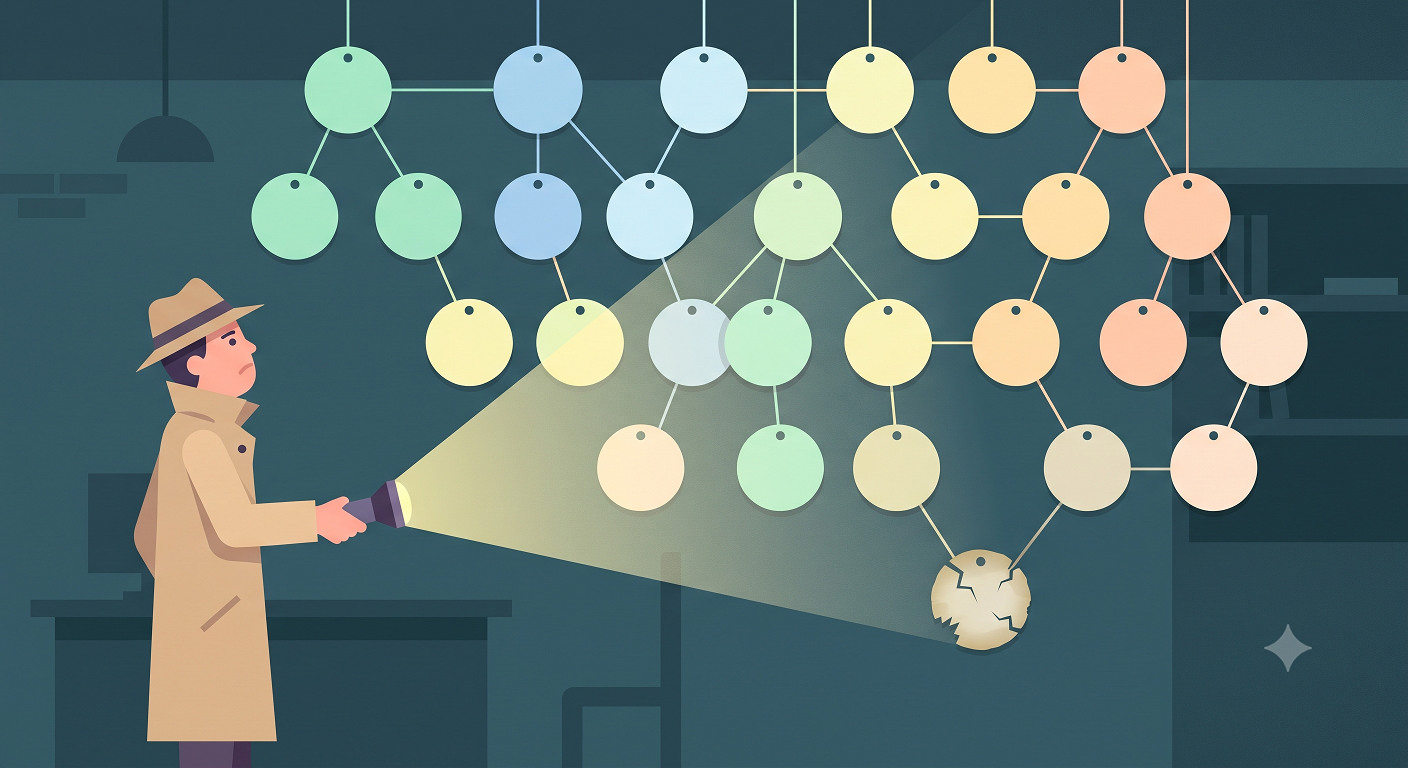
A condition on the data that code is written on the belief is ‘always true’ is called an invariant. This delete logic’s invariant was the existence of an active tag, and all recent data kept that promise. But an invariant is written down only in the code. The data never signed that contract, least of all data born before the current rules took hold. On the day that row happened to become a deletion target, the logic stopped dead right where its premise broke.
The code is innocent. It simply believed the world would follow the contract. The culprit behind today’s failure had been sitting in that spot for six years.
The Verdict: Zero Deploys
If the culprit is data, the verdict falls on the data too. The fix wasn’t a code change but data-level SQL that brought the offending legacy row in line with the current design’s assumptions. That closed the case. Application code changed: zero lines. Deploys: zero.
Adding a defensive branch to the code was an option, of course. But this case wasn’t an exception that would keep coming back; it was history, made six years ago. For normal data, that branch would have been dead code that never runs, and there was no reason to pile deployment risk on top of it for that. Investigate with SELECT alone, fix with a minimal data cleanup: we picked tools that matched the size of the incident.
Looking back, the longest part of this investigation wasn’t the fix. It was switching suspects. If I had kept my grip on the code alone, I would never have found the culprit, because there really was nothing wrong with the code. Code doesn’t age. It runs for years exactly as it was on the day it was deployed. Data is what ages. The older the system, the more its data piles up like geological strata, each layer preserved exactly as it was when it came in, and nobody guarantees that today’s code assumptions still hold in a stratum from six years ago.
The full reproduction demo (tables, sample data, investigation query) is in the demo folder of my study notes repository. Also, hierarchical queries are a regular on the SQLD exam (a Korean SQL certification), which is based on Oracle and asks about the same traversal using CONNECT BY … START WITH syntax. I’ve mapped the two syntaxes against each other in the hierarchical queries chapter of my study notes (in Korean).
Practical Advice: How to Interrogate Your Assumptions
- Make a list of your code’s hidden assumptions. The more a piece of logic rests on premises, like deletion, settlement, or period-end closing, the more you should write down ‘what this code trusts about the data,’ even as a one-line comment. It adds one more question to your code reviews, too: “What happens when data that breaks this assumption shows up?”
- Data has a vintage too. In an incident on an old system, ‘when was this data created?’ is as important a clue as the stack trace. Code assumptions are usually true only for data created after a certain point in time.
- When you run into a hierarchy, remember WITH RECURSIVE. No deploy, no worrying about rollbacks: a single query can sweep an entire tree of unknown depth.
Wrapping Up: SELECT Is the Power to Investigate
In the first post, a few lines of grep stopped a refactoring plan in its tracks. This time, a single SELECT ended an incident without a deploy. What the two incidents share isn’t the tool but the order: before interrogating a plausible suspect, count first and sweep first. WITH RECURSIVE was the equipment that made that sweep possible even on hierarchical terrain. No write permissions needed, no deployment pipeline. SELECT isn’t a half-privilege that can’t change anything. It’s the power to investigate your system.
Still, even after the case was closed, one nagging feeling remained. The read queries had wrapped up the investigation. But who left that six-year-old row the way it was, and when, and why, I never found out, because there was no record anywhere in the system that could tell me. What about your system? The next time you face a culprit, can you produce an eyewitness statement, not just circumstantial evidence?