I Thought It Was Fine Because I Work Alone
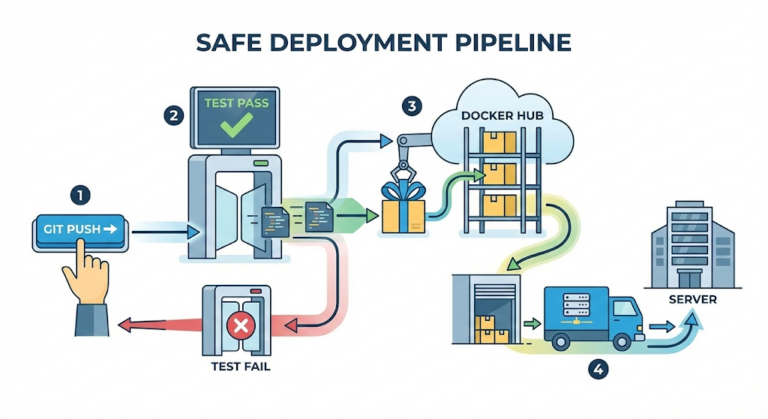
Last time, I managed to separate the dev and production servers and give each branch its own deployment path. Push to the develop branch, and it goes to the dev server; merge into the master branch, and it goes to production. Clean.
“I’m the only developer. Do I really need a branching strategy?”
Honestly, that’s what I thought. Two branches, master and develop, would be plenty. Build a feature, push it to develop, merge it into master once it checks out, done. Why would I complicate things by splitting branches any further?
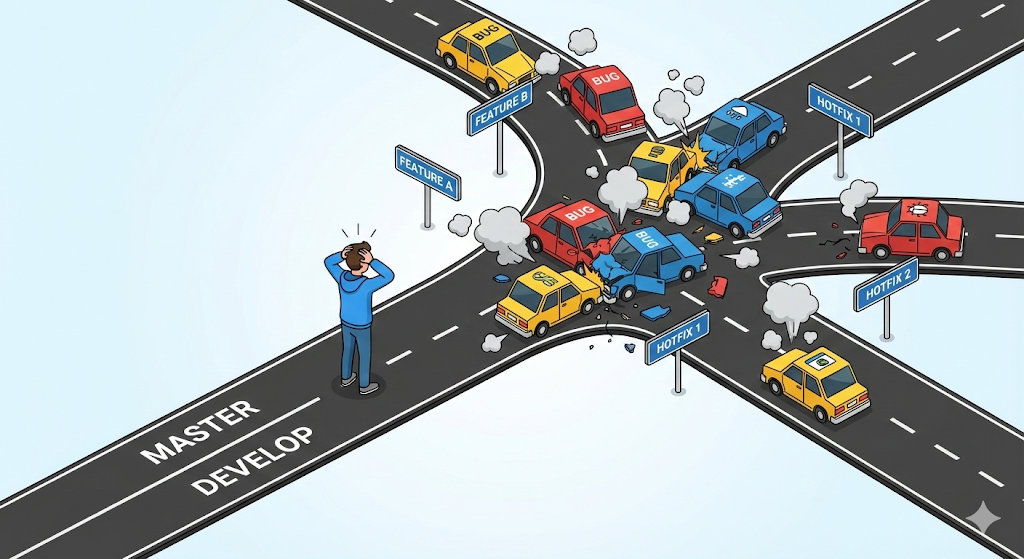
But that complacency didn’t last long. ‘The moment two things blew up at once,’ I learned the hard way that two branches weren’t nearly enough.
The Crisis: An Urgent Fix and a New Feature at the Same Time
One day, a new feature request came in from the client’s point person: ‘Add statistics charts to the dashboard.’ It was a fairly big job, the kind that takes a few days. I got to work building the chart feature on the develop branch.
Then, on day two, an urgent call came in about the production server.
“The login button doesn’t work! Fix it right now!”
It was a critical bug. I had to fix it and deploy to production immediately. But there was a problem: my develop branch was already full of half-built chart code.
I had only two options.
- Fix the login bug on develop and deploy → The unfinished chart code ships to production along with it. That’s stacking an outage on top of an outage.
- Roll back all the chart code (reset), fix just the bug, deploy, then restore the chart code → It takes a long time, and there’s a real risk of losing code during the restore.
In fact, I’d already made exactly the same mistake back in Part 1 (A Solo Developer’s Infrastructure Survival Story). Back then, I was doing everything on a single master branch, and my login code and payment code got so tangled that my brain short-circuited. I thought splitting off develop had fixed that, but the underlying problem was still there.
“If your work areas aren’t isolated, you can’t respond to an emergency.”
Only then did I start searching: ‘Git branching strategy,’ ‘developing multiple features at once.’ Across countless articles, one name kept coming up: ‘GitFlow.’
GitFlow: A Traffic System That ‘Isolates’ Work
GitFlow is a branch management model proposed by Vincent Driessen in 2010. It sounds grand, but the core idea is simple.
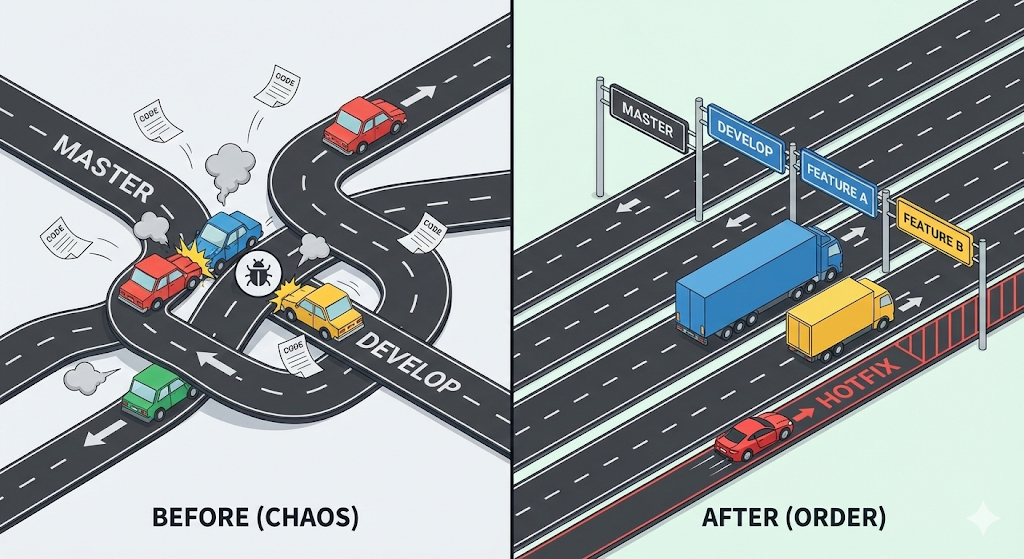
‘Build a dedicated road for each kind of work so they never collide.’
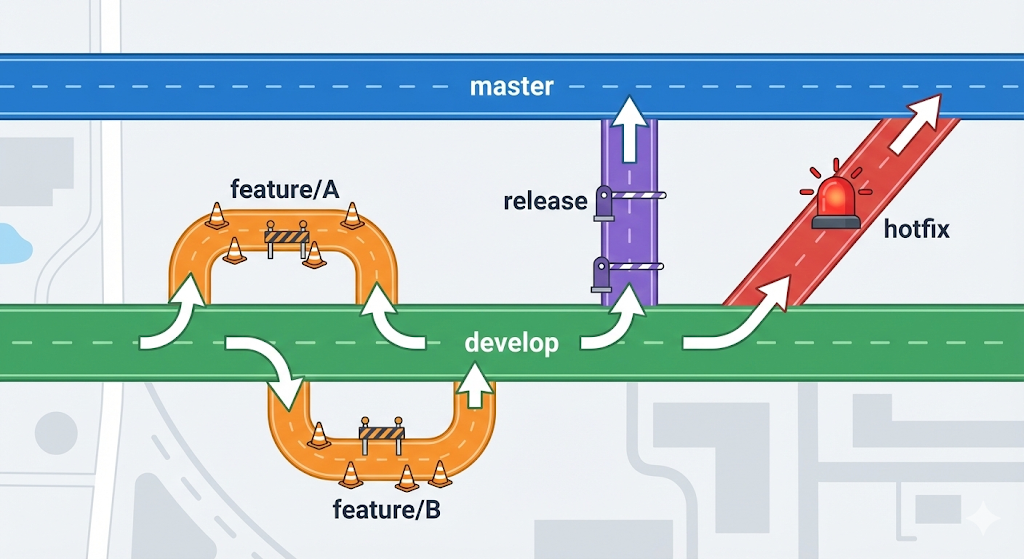
The chaos I went through happened because two completely different kinds of work, ‘chart development’ and ‘an urgent bug fix,’ were driving on the same road (develop). GitFlow solves this with five kinds of branches.
Five Roads, Five Roles
| Branch | Analogy | Role |
|---|---|---|
| master | Highway | Only code deployed to production lives here. Never modify it directly. |
| develop | Local road | The integration road where the next version comes together. Every feature merges in here. |
| feature/* | Construction zone | A temporary road for building a new feature. Branch off develop → merge back into develop when done → delete. |
| release/* | Inspection zone | A temporary road for final checks before release. Only bug fixes and version tagging allowed. Merges into master + develop. |
| hotfix/* | Emergency detour | Urgent fixes for critical production bugs. Branch off master → merge into master + develop. |
Let’s Replay That Crisis with GitFlow
Before I knew about GitFlow, I did everything on develop. Let’s see how the same situation plays out with GitFlow.
Situation: building the chart feature + an urgent bug in production
Step 1: Isolate the Feature in a feature Branch
When you start the chart feature, create a ‘feature/chart’ branch and work there instead of on develop.
# Branch off a feature branch from develop
git checkout develop
git checkout -b feature/chart
Now the chart code exists only in feature/chart, and develop stays clean.
Step 2: Handle the Emergency in a hotfix Branch
Urgent bug! Instead of panicking, create a ‘hotfix/login-fix’ branch from master.
# Branch off a hotfix branch from master
git checkout master
git checkout -b hotfix/login-fix
Fix only the login bug, in a space completely isolated from the chart code.
Step 3: Merge the hotfix into Both Branches
Once the fix is done, merge the hotfix into both master and develop.
# Merge into master and deploy
git checkout master
git merge hotfix/login-fix

# Merge into develop too, so the fix carries into the next version
git checkout develop
git merge hotfix/login-fix

# Delete the hotfix branch
git branch -d hotfix/login-fix
Production recovers right away, and the chart feature keeps moving along in feature/chart, completely unaffected. That’s the power of ‘isolation.’
Integrating GitFlow with GitLab CI
In the last post, we set up the pipeline so that develop deploys to the dev server automatically and master deploys to production manually. Adopting GitFlow leaves that setup almost untouched. But I also want CI (tests) to run on feature branches.
Adding feature branch support to the existing .gitlab-ci.yml looks like this.
stages:
  - test
  - build
  - deploy

# [Stage 1] Test: runs on every branch
# Push from feature, develop, or master, and the tests run.
test_job:
  stage: test
  image: openjdk:17-alpine
  script:
    - ./gradlew test

# [Stage 2] Build: runs only on develop and master
build_job:
  stage: build
  script:
    - docker build -t my-reg/app:$CI_COMMIT_SHA .
    - docker push my-reg/app:$CI_COMMIT_SHA
  only:
    - develop
    - master

# [Stage 3] Deploy to the dev server (automatic)
deploy_to_dev:
  stage: deploy
  script:
    - ssh user@dev-server "docker service update --image my-reg/app:$CI_COMMIT_SHA app-dev"
  only:
    - develop

# [Stage 4] Deploy to production (manual approval)
deploy_to_prod:
  stage: deploy
  script:
    - ssh user@prod-server "docker service update --image my-reg/app:$CI_COMMIT_SHA app-prod"
  only:
    - master
  when: manual
The key change is ‘test_job.’ Since it has no only condition, the tests run no matter which branch you push from. In other words, every time you push code to the feature/chart branch, a machine checks first whether “this code breaks any existing logic.”
Build and deploy still run only on develop and master. Code on a feature branch never reaches a server until it’s merged into develop, so you keep the safety net without slowing development down.
In short:
| Branch | Test (CI) | Build | Deploy |
|---|---|---|---|
| feature/* | ✅ Automatic | ❌ | ❌ |
| develop | ✅ Automatic | ✅ Automatic | ✅ Dev server, automatic |
| master | ✅ Automatic | ✅ Automatic | ✅ Production, manual approval |
Practical Advice: GitFlow Isn’t a Silver Bullet
Here’s my honest take after actually using GitFlow.
Does It Make Sense for a Solo Developer?
In short, yes. Even if you develop alone, the day ‘an urgent fix’ and ‘new feature work’ collide will come. When it does, having feature and hotfix branches will save you. At the very least, I recommend making feature branches a habit.
When Should You Use release Branches?
Honestly, on small projects and solo work, I almost never needed a release branch. release shines in organizations where a separate QA team signs off on releases or where there’s a process for tagging version numbers (v1.2.0). If you’re working alone, merging straight from develop into master is fine.
Name Your Branches Consistently
Set a naming convention so you don’t get confused later about which branch is for what.
| Type | Naming convention | Example |
|---|---|---|
| feature | feature/feature-name | feature/chart-dashboard, feature/user-profile |
| hotfix | hotfix/issue-number-description | hotfix/142-login-button-fix |
| release | release/version-number | release/1.3.0 |
What About Strategies Other Than GitFlow?
GitFlow isn’t the only right answer. Depending on project size and release cadence, another strategy may fit better.
| Strategy | Characteristics | Best fit |
|---|---|---|
| GitFlow | master + develop + feature/release/hotfix | SI (outsourced system integration) and packaged-solution projects with clear release cycles |
| GitHub Flow | Only master + feature. Simple. | Web services (SaaS) that deploy frequently |
| Trunk-Based | Almost all work happens directly on main | Large teams with extremely mature CI/CD |
If you’re on an SI or solution project with a ‘clear release cycle’ like mine, GitFlow fits well. On the other hand, for a web service that deploys dozens of times a day, GitHub Flow may be the lighter choice. There’s no single right answer; just pick the strategy that fits your team’s situation.
Wrapping Up: Splitting Branches Protects ‘Future You’
At first, I grumbled, “Why split into so many branches?” Managing master, develop, feature, and hotfix as a solo developer felt like overkill.
But when an emergency hit and I calmly created a hotfix branch and fixed the bug without touching the feature in progress, it clicked. This branching strategy isn’t about ‘convenience today’; it’s a safety device for ‘the crisis tomorrow.’
Looking back, the whole series has been like that.
- In Part 1, I hit the limits of manual deployment,
- in Part 2, I drew a blueprint called a pipeline,
- in Part 3, I hired a worker called a runner,
- in Part 4, I separated environments to lay down a safety net,
- and in Part 5, I split branches to isolate my work.
All of it was heading toward one goal: ‘Use systems to stop human mistakes.’
Next, I’ll go beyond building features and start talking about making the service I built run ‘well.’ Caching, reverse proxies, monitoring. Let’s step into the world of the other safety devices that protect a service.