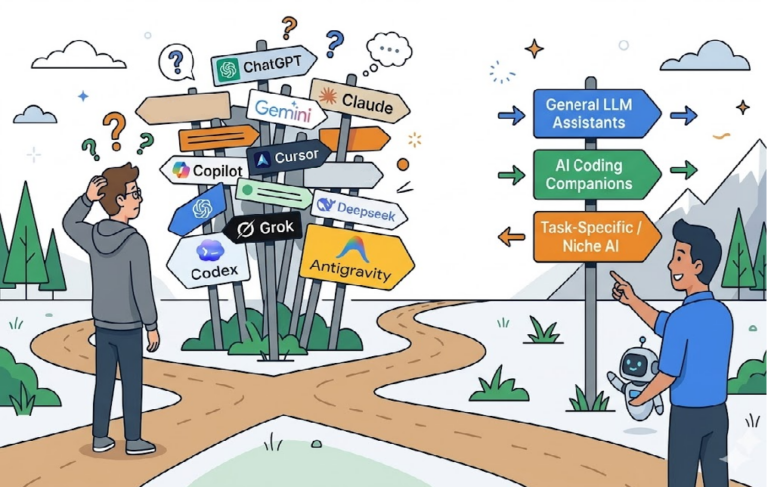
“Do You Use GPT? Claude? Gemini?”
Ask the developers around you that question, and every answer is different.
“GPT for me. It has the broadest tool integration ecosystem.”
“Claude. For coding agents, it’s the most stable.”
“Gemini. That 1M context is basically cheating.”
“An open-weight line like Gemma 4 31B. It’s internal data, so we can’t send it to an external API.”
They’re all right. Their situations are just different. But a post built only on lineup comparisons goes stale in two months. New models come out every week, price sheets change within a month, and yesterday’s #1 on the benchmarks drops to #3 today.
So this post doesn’t try to sort out ‘who’s #1 in the current lineup.’ Instead, it lays out ‘criteria that let you decide the same way no matter what lineup comes along.’ It’s a side story to the AI Decoded series, and the goal is an evergreen framework you can still use to make the same kind of decision a year from now.

The Bottom Line First: Elimination Criteria, Then Weights
‘One-line summary: split AI model selection into two stages. 1) Hard Gates you must never cross, and 2) a weighted score on 9 criteria among the models that pass.’
Stage 1, Hard Gate: Fail It and You’re Off the Candidate List
| Elimination criterion | Question |
|---|---|
| Data policy | Must our data never be used for model training? |
| Retention period | Must request/response logs not be retained beyond a certain period? |
| Region | Does processing have to happen within the EU, Korea, or a specific cloud region? |
| Air-gapped network | Are external API calls impossible altogether? |
| License | Can the open-weight model be used commercially? |
| Operational SLA | Can you set up a substitute model or fallback in case of an outage? |
A model that doesn’t pass these conditions is ‘out of the running even if it’s #1 in performance.’ No matter how good a model is, if company policy blocks it, you can’t use it.
Stage 2, Weighted Score: A Scorecard for the Models That Passed
| # | Criterion | What to look at |
|---|---|---|
| 1 | Task type | Chat/coding/reasoning/multimodal/RAG/agents: where is it strong? |
| 2 | Context window | Tokens you can put in at once. Directly tied to long documents and codebases |
| 3 | Tool calling stability | Does function calling hold up and respect the argument schema? |
| 4 | Structured output | JSON mode, schema enforcement, accuracy while streaming |
| 5 | Pricing structure | Unit prices for input, cache, output, reasoning, tools, multimodal |
| 6 | Latency | TTFT (time to first token) + throughput |
| 7 | Data policy and compliance | (After passing the Hard Gate) retention, audit, and contract details |
| 8 | Local availability | Whether an open-weight line exists. Air-gapped options |
| 9 | Operational stability and language performance | rate limits, availability, alias policy, Korean |
Wait: Why Benchmark Scores Aren’t the Answer
‘MMLU, HumanEval, GPQA, AIME, LiveCodeBench…’ These are the score tables that always show up in model comparisons. Every time, a model that scores even one point higher gets announced, and the next month that model gets overtaken.
There are three problems.
First, ‘data contamination.’ Public benchmarks may have leaked into the training data, which can inflate scores. Second, ‘the evaluation distribution differs from my task.’ MMLU scores are useful for gauging broad knowledge and problem-solving ability, but they don’t tell you directly whether your work is RAG over an internal wiki, a long-running coding agent, or Korean-language customer support. Third, ‘benchmark optimization (eval gaming).’ Model companies also tune their training toward the evaluations to push the scores up.
So use benchmarks only to gauge a model’s ‘rough weight class,’ and always make the final call with ‘a direct A/B test on your own task.’ (See Part 7 of the series, ‘Evaluation and Harness.’)
The 9 Criteria in Detail
1. Task Type: What Will the Model Be Used For?
‘One-line summary: models don’t all have the same IQ. Coding, reasoning, multimodal, tool calling, and RAG each call for different strengths.’
Even the same frontier model is #1 in some seats and #3 in others. You need to classify the task type first.
| Kind of task | Strengths to look for |
|---|---|
| General chat, summarization, translation | Natural conversation, length control, multilingual support |
| Coding (autocomplete/refactoring) | Code understanding, diff accuracy, IDE integration |
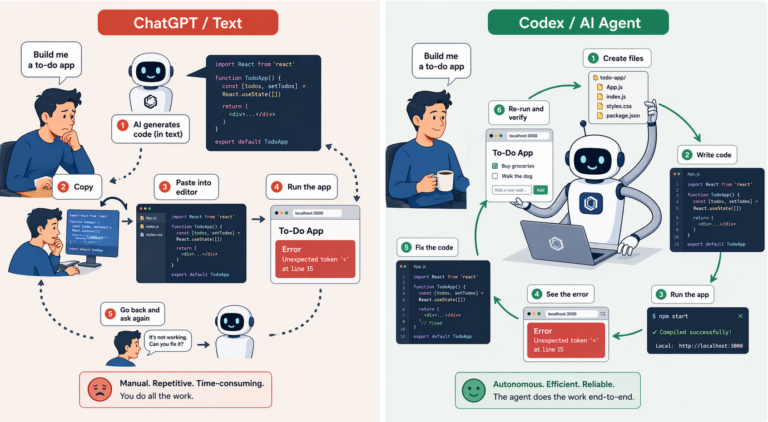
| Coding agents (terminal and file operations) | tool_use stability, long loops, self-correction |
| Reasoning (math, complex analysis) | reasoning modes, step-by-step problem solving, ability to double-check, consistency over long analyses |
| Multimodal (image, video, audio) | Range of input modalities, precision of results |
| RAG | Long context, citation accuracy, ability to refuse with ‘I don’t know’ |
| Agents (autonomous execution) | Tool calling + multi-turn + safety policies |
Pin down the kind of task first, and the weights for the 9 criteria narrow down on their own.
2. Context Window: How Much Can You Put In at Once?
‘One-line summary: decisive when you deal with long documents or codebases. But bigger isn’t always the answer; look at it together with RAG.’
As of April 2026, the major frontier APIs offer contexts in the range of several hundred thousand to 1 million tokens. But context windows differ by model, product, and API path, so always check that model’s official documentation before making a final choice.
Points to look at:
- ‘Effective context’: the advertised context and ‘whether it accurately references tokens that are actually far away’ are two different things. Measure it with needle-in-a-haystack style evaluations.
- ‘Input vs. output asymmetry’: a 1M input context doesn’t mean 1M of output. For most models, input tokens and maximum output tokens are asymmetric. If you need to generate long answers, don’t relax just because of the input number.
- ‘Cost’: large contexts are expensive. ‘Long context isn’t a substitute for RAG; it’s a complement.’ Rather than blindly stuffing everything into a huge context, ‘narrowing things down with search, filtering, and summarization, then putting in only what’s needed’ often comes out ahead on both cost and accuracy.
Weight 1 for a small chatbot, weight 5 for codebase analysis.
3. Tool Calling Stability: Does Function Calling Hold Up?
‘One-line summary: for agent scenarios, this can matter more than the model’s IQ. Look at numbers, not impressions.’
On the surface, everyone ‘supports’ tool calling. The difference shows up in stability.
- ‘Argument schema compliance’: how often required fields go missing from JSON arguments or types get violated.
- ‘Tool selection accuracy’: does it call the tool that’s actually needed out of several?
- ‘Loop stability’: does it hold up in the multi-turn flow of tool call → result → next call?
- ‘Parallel tool calls’: can it call multiple tools at once?
Don’t judge tool calling stability by feel; look at the numbers.
| Metric | Meaning |
|---|---|
| Schema validation failure rate | Share of JSON arguments that fail to follow the schema |
| Wrong tool selection rate | Share of calls to a tool other than the intended one |
| Tool call retry count | Average retries per task |
| Tool loop abort rate | Share of multi-turn loops that break off midway |
| Share of tool calls that shouldn’t run without human approval | Unauthorized calls to dangerous tools |
For an agent service, these metrics can matter more than model benchmarks.
4. Structured Output: How Solid Is JSON Mode?
‘One-line summary: JSON mode and JSON Schema enforcement are different. This matters directly wherever you need “a response that follows the schema” rather than free text.’
- ‘JSON mode’: a feature that raises the likelihood of producing ‘valid JSON.’ It doesn’t guarantee exact schema compliance.
- ‘JSON Schema enforcement (Structured Outputs, etc.)’: a feature that makes the model stick to defined fields, types, and enums. Enforced the way a compiler enforces things.
These two are different. Where ‘getting JSON back is enough,’ use JSON mode; where ‘breaking the schema breaks the pipeline,’ use schema enforcement.
Other things to look at:
- ‘Failure mode’: when it can’t follow the schema, does it return empty JSON, partial JSON, or an exception?
- ‘Accuracy while streaming’: does the JSON stay intact during token streaming?
The weight is high wherever API responses flow straight into another system (pipelines, batch analysis).
5. Pricing Structure: Don’t Just Look at the Price Sheet
‘One-line summary: set a budget from the token price sheet alone, and you’ll almost always miss. Think of it as billing by token category.’
API cost isn’t simple multiplication. Roughly, break it down like this:
- Regular input tokens
- Cache hit/read input tokens (usually heavily discounted)
- Output tokens
- Output or internal tokens added by reasoning/effort
- Batch processing tokens (usually discounted by around 50%)
- Tool call costs
- Image/audio/video input costs
- Region, data residency, and long-context multipliers
In other words, calculating cost is closer to ‘usage per token type × each unit price’ than ‘total tokens × unit price.’
‘Prompt caching’ is ‘a mechanism for cheaply reusing repeated input,’ not a feature that automatically makes all input free. With many providers, cache writes carry a separate cost and only cache reads/hits are heavily discounted. So for workloads with a low cache hit rate, costs won’t drop as much as you expect.
With ‘reasoning models,’ internal tokens the user never sees affect the cost. OpenAI-family reasoning tokens aren’t visible in the response but are billed as output tokens. On the Anthropic side, options like ‘extended thinking + thinking budget_tokens’ are where you trade accuracy against token cost. So with reasoning models, you need to measure not just accuracy but also ‘hidden token spend.’
Compare prices with ‘a simulation of your own workload, not the price sheet.’
6. Latency: Response Time Comes in Two Parts
‘One-line summary: look at TTFT (time to first token) and throughput (overall speed) separately.’
- ‘TTFT (time-to-first-token)’: the time until the user sees the answer start. It determines how a chatbot feels.
- ‘Throughput (tokens/sec)’: how fast tokens flow after the first one. Affects long answers and batch jobs.
- ‘Reasoning mode’: models that ‘think’ have TTFTs that stretch from several seconds to tens of seconds. A trade-off with accuracy.
- ‘Streaming stability’: does it cut off midway or arrive out of order?
For a real-time chatbot, TTFT gets weight 5; for overnight batch analysis, weight 1.
7. Data Policy: It Can Be a Hard Gate or Part of the Weighted Score
‘One-line summary: data policy can be an elimination criterion, not a score. “A model that’s #1 in performance but has a murky policy” isn’t an option.’
This turns what I covered in Part 10 of the series (reliability and responsibility) into decision criteria.
When you look at data policy, you can’t just look at the ‘company name.’ Even with the same provider, policies differ by product line.
| Line | What to check |
|---|---|
| Personal chatbots (ChatGPT Free/Plus, Claude Free/Pro, etc.) | Default setting for training use and opt-out options |
| Free developer APIs | Training use, retention, rate limits |
| Paid APIs | Default no-training policy, retention period, abuse monitoring |
| Enterprise / Business contracts | DPA, SLA, audit logs, zero retention options |
| Through cloud marketplaces (AWS Bedrock, Google Vertex AI, etc.) | The cloud provider’s data processing responsibilities, region, isolation |
These five can differ in whether data is used for training, retention periods, regions, and audit log terms. So don’t ask “Is OpenAI safe?” or “Does Claude train on my data?” Instead, check “What is the data policy for the exact product, plan, and contract we use?”
‘Data policy can be an elimination criterion, not a scoring item.’ If internal source code, customers’ personal information, or financial transaction data is involved, ‘a model that’s #1 in performance but has a murky data policy’ drops out of the candidate list entirely. That’s why data policy sits in Stage 1 (Hard Gate) of the summary table, and it shows up again among the 9 criteria as ‘a detailed comparison after passing the Hard Gate.’
8. Local Availability: API Only, or Is There an Open-Weight Line?
‘One-line summary: in air-gapped, sensitive-data, and fixed-cost scenarios, the mere existence of an open-weight line is decisive.’
- ‘API only (GPT, Claude, Gemini frontier)’: the best quality and the fastest updates. But the calls themselves don’t stay inside a local or air-gapped network; the data flow changes depending on Enterprise contracts, going through a cloud marketplace, and region isolation options.
- ‘Open-weight (Gemma, Qwen, Mistral, Llama lines)’: air-gapped, on-premises, and fixed-cost setups are possible. But while they’re strong on air-gapping, cost, and data control, they can fall behind the latest frontier APIs in reasoning, tool calling, multimodal, and long-context quality.
- ‘Hybrid’: sensitive data stays local, and general data goes to frontier APIs.
For details, see Part 9 of the series (running local LLMs).
9. Operational Stability and Language Performance
‘One-line summary: even the #1 model scores 0 when it’s down. If it can’t handle Korean, minus 10. And models cause problems in operations more often than in performance.’
- ‘Rate limits / availability’: does it buckle at traffic peaks? Outage frequency and SLA.
- ‘Fallback model support’: can you build a setup that automatically switches to a secondary model when the primary one goes down?
- ‘Stable line vs. experimental line’: preview/beta vs. GA. For production, pick the GA line.
- ‘Model alias policy’: whether to use the
latestalias or a pinned version ID. Aliases are convenient, but one day the model can quietly change underneath you and cause a regression. - ‘Deprecation notices’: how early and how clearly a model’s retirement is announced. A sudden deprecation wrecks your migration schedule.
- ‘Incident notices and status page’: whether you can officially track outages while you’re running in production.
- ‘Quota increase process’: whether you can raise rate limits quickly when traffic grows. It often requires going through a sales channel.
- ‘Korean-language quality’: even among frontier models, polish in Korean varies. Down to domain vocabulary, honorifics, and spelling.
- ‘Domain specialization’: does it handle medical, legal, and financial vocabulary naturally?
For a production service, this weight can never be low.
Applying the Weights to Scenarios
‘One-line summary: with the same 9 criteria, different weights completely change “my #1 model.”‘
Let’s look at how the weights differ across three hypothetical scenarios. (Weights are 1–5, for comparing totals. Gate items are just pass/fail.)
| Criterion | Internal RAG chatbot | Coding agent | General B2C chatbot |
|---|---|---|---|
| 1. Task type | RAG fit ★★★★★ | Coding agent ★★★★★ | Natural conversation ★★★★ |
| 2. Context window | ★★★★★ (long documents) | ★★★★ (codebase) | ★★ |
| 3. Tool calling stability | ★★★ | ★★★★★ | ★★ |
| 4. Structured output | ★★★ (citation format) | ★★★ | ★★ |
| 5. Pricing structure | ★★★★ | ★★★ | ★★★★★ (high volume) |
| 6. Latency | ★★★ | ★★★ | ★★★★★ (TTFT) |
| 7. Data policy | Gate (internal data) | Gate (code IP) | ★★★ |
| 8. Local availability | ★★★★ (option) | ★★ | ★ |
| 9. Operations and language | ★★★★★ (Korean) | ★★★★ | ★★★★★ |
The chance that all three scenarios end up with the same #1 model is close to zero. For the internal RAG chatbot, the model strong at ‘passing the Hard Gate (data policy) + context + Korean’ rises to the top; for the coding agent, the one strong at ‘passing the Gate + tool calling + coding’; and for the B2C chatbot, the one strong at ‘TTFT + price + Korean.’
The key is writing the weights down on paper. Even when a new model comes out next month, you just score it again against the same weight table.
A Real Scoring Template
‘One-line summary: a table that carries this post straight into practice. Copy and paste it, and fill it in with your team.’
| Criterion | Weight (1–5) | Model A | Model B | Model C |
|---|---|---|---|---|
| Data policy | Gate | Pass/Fail | Pass/Fail | Pass/Fail |
| Region and residency | Gate | Pass/Fail | Pass/Fail | Pass/Fail |
| License (if open-weight) | Gate | Pass/Fail | Pass/Fail | Pass/Fail |
| Task type fit | 5 | |||
| Context window | 4 | |||
| Tool calling stability | 5 | |||
| Structured output | 3 | |||
| Pricing structure | 4 | |||
| Latency | 3 | |||
| Local availability | 2 | |||
| Operational stability and Korean | 5 |
The math is simple.
Weighted score = weight × model score
Total score = sum of all weighted scores
‘However, a model that fails even one Gate item is excluded from the candidates regardless of its total.’ The heart of this table is that even the top scorer can’t be used if data policy rules it out.
Put this table in a PR template or your internal wiki, and every time a new model comes out, you only need to re-score it.
Designing to Survive Model Changes
‘One-line summary: design models to be swappable like libraries. Don’t hardcode model names in your code.’
In an environment where the lineup changes every week, hardcoding model names like gpt-..., claude-..., and gemini-... all over your code turns every migration into an incident. Lay down the following four things in advance, and the cost of swapping drops sharply.
- ‘Model names go in config files and environment variables’: don’t reference them directly in code; inject them through external configuration. See the ChatClient pattern in Part 8 of the series (Spring AI).
- ‘An LLM Gateway / Provider Adapter layer’: lets you swap between multiple providers on top of a single ChatClient interface. Provider-specific differences are isolated in adapters. (For Java/Spring readers, this is a different concept from the Bill of Materials in Maven/Gradle.)
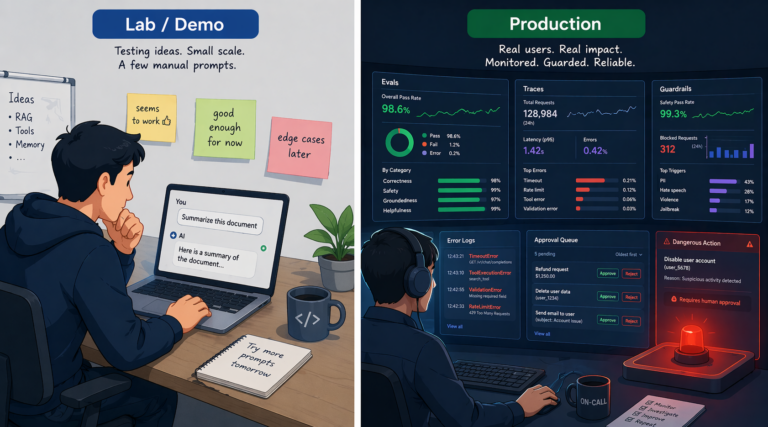
- ‘Build the evaluation harness first’: when you change models, automatically check for regressions on ‘your own task’s golden set.’ 30–50 cases of representative domain questions + edge cases + safety cases are enough to start. Straight out of Part 7 of the series (evaluation and harness).
- ‘Model router’: low-risk tasks go to small, cheap models, and only hard tasks go to frontier models. Put routing in the middle, and swapping models comes down to changing one line of routing rules.
[Input]
  ↓
[Difficulty classifier (small model)]
  ├─ Simple classification/summarization → small model
  ├─ General chat/coding → standard model
  └─ Complex reasoning/long analysis → frontier or reasoning model
       ↓
     [Tool calls / response post-processing (schema and source validation) / observability, logs, billing]
On top of that, track operational metrics ‘separately from model names.’ Per request: latency (TTFT/total), input/output tokens, cache_hit, model_id, and error_class. Daily: cost, p50/p95 latency, error rate, and how many times fallback kicked in. Set it up this way, and your comparisons stay consistent even when you swap models.
Once this setup is in place, lineup comparison posts become genuinely useful. Every time you find ‘a model that fits these criteria better,’ you can swap it in right away.
Wrapping Up: Lineup Comparisons in the Next Post
The message of this post fits in one sentence: “Pick your criteria before the lineup. And before you score anything, check the elimination criteria first.”
To sum up:
- ‘Hard Gates first, Weighted Score second.’ Models that fail on data policy, region, air-gapped requirements, license, or SLA are excluded from the candidates.
- ‘There is no best model.’ The weights of the 9 criteria change with every scenario.
- ‘Benchmarks are for checking weight class.’ The final decision is a direct A/B on your own task.
- ‘Price is a simulation by token category, not a price sheet.’ Including caching, batch, and reasoning.
- Judge ‘data policy by the exact product line, plan, and contract, not by the company name.’
- ‘Design models to be swappable.’ Don’t hardcode model names; use a Gateway/Adapter + an evaluation harness + a router.
“Elimination criteria first, scores second. Model names go in config files. You may update the lineup every quarter, but the framework lasts 1–2 years.”